Home
Shop
Wishlist0

4 ways to capture your screenshot on your Mac

Depending on which Apple computer you have — MacBook Pro, MacBook Air or iMac — you may have up to four ways to take a screenshot
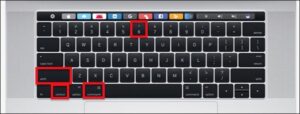
If you own an any kind of Mac you have three ways to take a screenshot with keyboard shortcuts– and if you have a MacBook with a touch bar you have a fourth method. In this guide we’ll show you the various keyboard shortcuts you need to know to take a screenshot on your Mac. We’ll also show you walk you what you can do with those screenshots once you’ve taken them. Apple gives you a fair number of options to easily save, delete and open the screenshot for markup.

Command-Shift-3

This keyboard shortcut captures a screenshot of your entire screen.

Shift-Command-4 

Use this keyboard combo to turn your cursor into a crosshair, which you can drag to select a portion of your screen to capture. Release the mouse button or trackpad to take the shot.

You have a number of other options after hitting Shift-Command-4:

Press and release the space bar: The crosshair turns into a little camera icon, which you can move over any open window. Click on your desired window to take a screenshot of it. A screenshot captured by this method features a white border around the window with a bit of a drop shadow.

Press and hold the space bar (after dragging to highlight an area but before releasing the mouse button or trackpad): This locks in the shape and size of the selection area but lets you reposition it on the screen. It’s very handy if your initial selection area is off by a few pixels; just hold down the space bar to reposition it before releasing the mouse button to snap a screenshot.

Hold down the Shift key (after dragging to highlight an area but before releasing the mouse button or trackpad): This locks in each side of the selection area made with the crosshairs save the bottom edge, letting you move your mouse up or down to position the bottom edge.

Without releasing the mouse button, release the Shift key and hit it again to reposition the right edge of your selection area. You can toggle between moving the bottom edge and right edge by keeping the mouse button or touchpad engaged and pressing the Shift key.

Shift-Command-5

A shortcut command introduced in MacOS Mojave (2018), this combination calls up a small panel at the bottom of your display with your screen capture options. There are three screenshot buttons that let you capture the entire screen, a window or a selection of your screen.

Likewise, the two video-recording buttons let you record your entire screen or a selection of it. On the left is an X button to close the screenshot panel, but you can also just hit the Escape key to exit out.

On the right side is an Options button. It lets you choose where to save your screenshot — Desktop, Documents, Clipboard, Mail, Messages, Preview or Other Location and set a 5- or 10-second delay so you can line up items that might otherwise disappear when you engage your screenshot tool.
 

Best Laptop In Nigeria For 2022: Here Are Laptops We Recommend

Best Laptop In Nigeria for 2022: Here Are Laptops We Recommend


With so many laptops to choose from, let KAALTECH help you find the right one


When it comes to shopping for a new laptop computer village ikeja lagos is one of the best place to find a deal outside of Black Friday


At KAALTECH, our laptop and computer engineer have spent quality time testing and reviewing laptops,phones, covering everything from performance to price to battery life. This hand-curated list covers the best laptops across various sizes, styles and costs, including laptop computers running on Windows, MacOS and Chrome. (Microsoft released the full version of its Windows 11 operating system in October; all of the Windows laptops on this list should fully support that new OS.)


If you want more laptop brands and options for a particular category, we also have specialized lists you can look at, including the best gaming laptops, best 15-inch laptops, best two-in-ones and best Chromebooks, as well as the best laptops for college students, designers and the best MacBook Pro alternatives. If you need to stay as low as possible on the price of a new laptop computer, check out our best budget laptop and best budget gaming laptop picks.


At KAALTECH  best laptop list is updated periodically with new models we’ve tested and reviewed. It’s a great place to get an idea of what’s available.

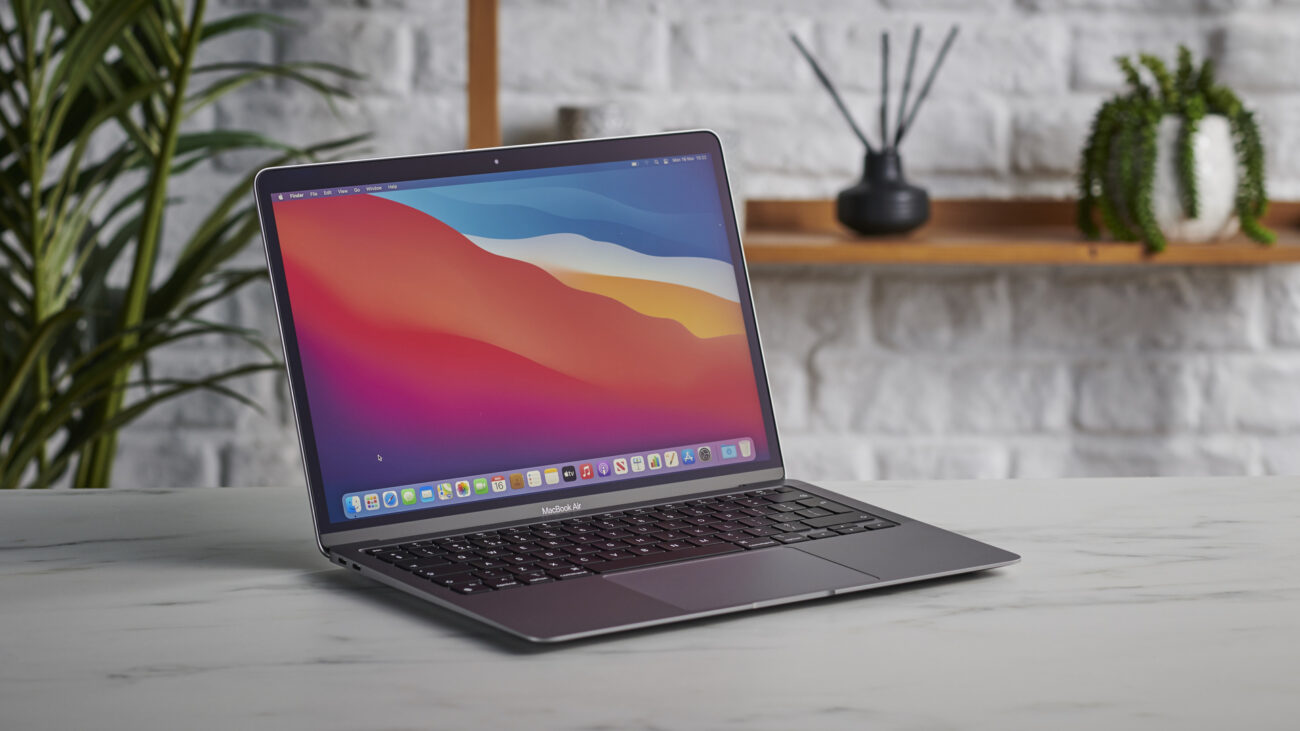
Apple MacBook Air M1 2020

Apple MacBook Air 2020

The MacBook Air was updated in November 2020 with Apple’s homegrown M1 processors, replacing Intel’s CPUs.  The M1 delivers better performance and longer battery life — up to 18 hours. The Air was one of the first Apple computers to be switched to the M1 chips. Since then, Apple’s been busy updating its other laptops and desktops with them, leaving the Air unchanged.

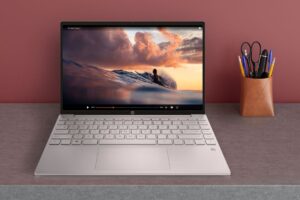
HP Pavilion Aero 13

HP packed a lot of value into the Aero 13: Eye-pleasing magnesium-aluminum chassis, strong processing performance, long battery life, a bright, colorful display and a weight of just 2 pounds (0.94 kilograms). Amazingly, with all that it offers though,


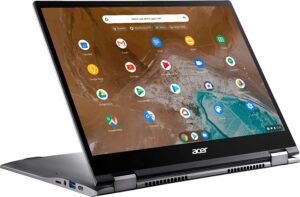
Acer Chromebook Spin 713

Tired of trying to work on documents or spreadsheets on a small widescreen display? The Acer Chromebook Spin 713 uses one of Acer’s bright VertiView displays, a 13.5-inch 2,256×1,504-pixel touchscreen with a 3:2 aspect ratio. As the name implies, it gives you more vertical room to work, but it still has the width of a typical 13.3-inch laptop with a 16:9 ratio. Between that and its battery life, which lasted nearly 13 hours in our tests, you’ll be able to get more work done in a day with this Chrome OS laptop — and it’s still thin and light enough for an everyday carry. 

The latest version of this Chromebook is the first to receive Intel’s Evo verification, which means you’ll be getting the best possible mobile experience with this model. It’s also the first with Thunderbolt 4 support, which lets you connect to multiple external displays as well as providing fast data speeds and networking.


Apple MacBook Pro (2021, 16-inch)

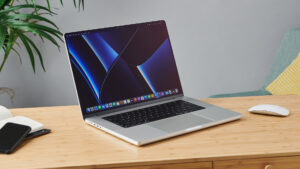
New Apple silicon, new display, new design and all the ports we’ve been asking for: The latest 16-inch Apple MacBook Pro is the best Pro ever. The combination of the larger MacBook Pro’s hardware and MacOS extracts the maximum performance from the components while delivering excellent battery life. The new mini-LED high-resolution display is gorgeous. And if an HDMI output and SD card reader were on your shortlist for features, you’ll find those here too.

2021 MacBook Pro 16”

Back to Top
Product has been added to your cart